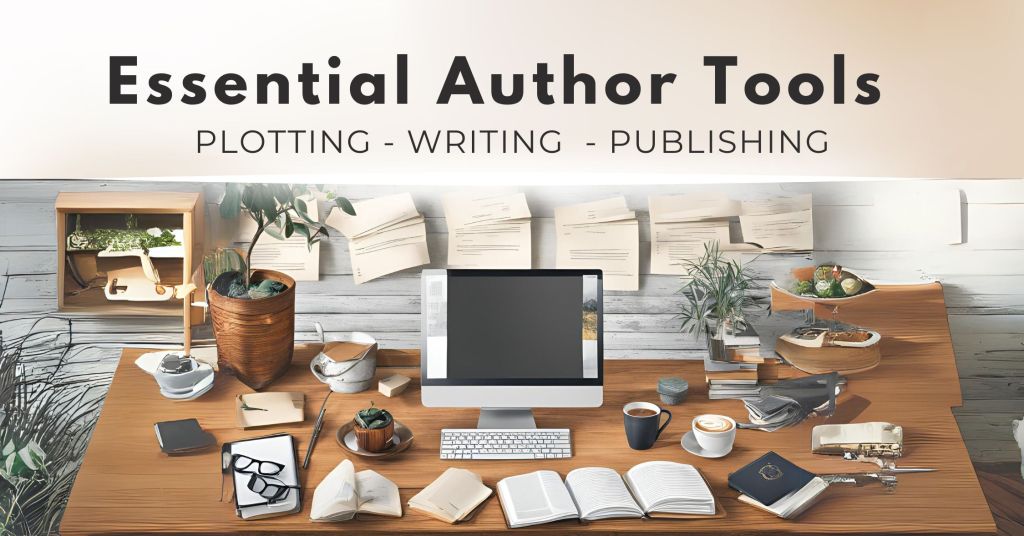
In the digital era, authors have access to a wide array of tools designed to assist with every stage of the writing process, from initial plotting to final publication. This includes applications for organizing ideas, drafting manuscripts, editing, and designing, as well as platforms for publishing and marketing the finished product. This list provides an overview of various apps and software that cater to different needs within the writing community, such as Lucid Chart for plotting, Scrivener for writing, Vellum for publishing, and Canva for content creation, among others.
Plotting





- Device: Online & Mobile
- Price: Free trial – $65 one-time fee (includes 1 year of free updates)
- Link: https://www.aeontimeline.com
- Description: Aeon Timeline is designed to help writers, project managers, and researchers visualize and manage the chronological aspects of their projects. For authors, it offers the ability to meticulously plot out events, character developments, and key story arcs across multiple timelines, ensuring narrative coherence and pacing. A standout feature of Aeon Timeline is its integration with popular writing applications like Scrivener and Ulysses. This integration allows writers to synchronize their timeline with their manuscript, enabling a seamless workflow between plotting in Aeon Timeline and writing in Scrivener or Ulysses.
- Device: Online & Mobile
- Price: Free (limited use) or paid version starting at $9.95/month
- Link: https://www.lucidchart.com/pages/
- Description: Lucid Chart is a versatile diagramming tool that enables users to create clear and comprehensive visual representations of complex information, including flowcharts, organizational charts, and mind maps. Writers can utilize Lucid Chart for plotting their stories by visually mapping out storylines, character relationships, and plot developments. This graphical approach to plotting helps authors organize their thoughts, identify potential plot holes, and visualize the structure of their narratives, making it an invaluable tool for crafting well-structured and engaging stories.
- Device: Online & Mobile
- Price: Free
- Link: https://storyplotter.net/
- Description: Storyplotter is an online tool designed to assist writers in crafting and organizing their narratives. It offers a visual plotting platform that enables authors to map out their story’s structure, including plot points, character arcs, and thematic elements. With its intuitive interface, Storyplotter helps writers visualize the flow of their story, identify gaps or inconsistencies, and manage the complexity of multiple storylines.
- Device: Online & Mobile
- Price: Free – $5/month
- Link: https://trello.com
- Description: Writers can adapt Trello for various aspects of the writing process. Its board and card system allows for the organization of ideas, plot elements, research materials, and tasks into customizable categories. Writers can use Trello to create boards for different projects or aspects of a single project, such as character development, plot timelines, and chapter outlines. The ability to add checklists, due dates, attachments, and comments to cards makes it easy to keep track of progress, brainstorm, and collaborate with editors or co-authors.
- Device: Online & Mobile
- Price: Free – $130/year
- Links: https://obsidian.md/ – https://onenote.com – https://evernote.com
- Description: Although made different companies, these three apps have a lot in common. They allow you to group notes by notebooks and/or stacks, upload media or files to the notes for reference, and in some cases, allow you to record audio and video. Content is searchable, enabling you to find that note from way back that you don’t remember where you put it. The more advanced features only apply to the paid version, but if you’re a power note taker that wants to keep organized, historical records of your notes, collaborate with others on shared notes, and move effortlessly between multiple devices, these are worth checking out.
Writing


- Device: Desktop, Mobile/Tablet
- Price: $59.99 (desktop app), $23.99 (mobile)
- Link: https://www.literatureandlatte.com/scrivener/overview
- Description: Scrivener is a comprehensive writing tool that combines word processing with advanced outlining and document management capabilities, allowing you to compile notes, research, and multimedia assets alongside their text. It supports a variety of manuscript templates and facilitates easy export to standard formatting tools for final adjustments.
- Device: Mac & Apple iOS only
- Price: $39.99/year
- Link: https://ulysses.app
- Description: Ulysses is a streamlined writing app designed to provide a distraction-free environment for writers, offering a clean interface that integrates advanced document organization, writing, and exporting features. It supports markdown and allows for seamless synchronization across devices, making it ideal for managing everything from short pieces to large projects, with easy export options for publishing.
- Device: Online
- Price: Free (limited use), $180/year
- Link: https://www.autocrit.com
- Description: AutoCrit is an AI-powered writing tool that enables authors to self-edit their manuscripts with precision, offering comprehensive analysis and editing guidance by comparing their work to best-selling authors in their genre. It facilitates planning, writing, analyzing, and editing all in one platform, providing insights into story structure, genre identification, character development, and more, to help authors refine their books and captivate readers from beginning to end.
Publishing



- Device: Mac Desktop App
- Price: Try for Free, 1-time purchase $200 – $250
- Link: https://vellum.pub/
- Description: Vellum.pub is a sophisticated software tool that enables writers to format their books for publication. It’s particularly valued for its intuitive design and the professional-quality output for ebooks and print. Authors can choose from pre-designed templates to create interior layouts, including chapter headings, fonts, and page numbering.
- Device: Desktop App (Mac & PC)
- Price: Free
- Link: https://kdp.amazon.com/en_US/help/topic/G202131170 (KDP Login)
- Description: The Kindle Previewer is a tool provided by Amazon that allows authors and publishers to preview how their books will appear on Kindle devices and applications before publishing. Ensure your formatting and layout of the eBook are optimized for a seamless reading experience across all Kindle platforms. Kindle Previewer supports a range of Kindle formats and provides authors with the ability to simulate different screen sizes, orientations, and font sizes.
- Device: Desktop App (Mac & PC)
- Price: $23/month
- Link: https://www.adobe.com/products/indesign.html
- Description: InDesign allows precise control over text, images, and page design, ensuring your book looks polished in print and digital formats. With features like master pages for consistent headers and footers and the ability to export to high-resolution PDFs for print or EPUB for e-readers, InDesign caters to the needs of authors aiming for a high-quality finish. Its user-friendly interface supports creative design while simplifying the layout process, making it a top choice for authors dedicated to producing professionally formatted books. This is a professional-level tool and experience with Adobe Suite products is a must.
- Device: Desktop (Mac & PC)
- Price: $14/month – $20/month (Acrobat Reader – Free)
- Link: https://www.adobe.com/acrobat/resources/how-to-write-an-ebook.html
- Description: Adobe Acrobat offers a seamless path from manuscript to publication-ready format. It enables PDF conversion, text and image editing, interactive additions, and collaborative feedback, all while ensuring content security and accessibility. This comprehensive suite simplifies book formatting for both print and digital platforms.
Content Creation

- Device: Online, Mobile & Desktop App
- Price: Free (limited), Premium $120/year
- Link: https://www.canva.com/
- Description: Canva is a user-friendly graphic design tool for content creation and book marketing efforts. With templates, writers can easily design professional-looking book covers, promotional materials, social media graphics, and author branding elements without needing advanced design skills. Canva enables authors to create engaging visuals that can help build an author platform, advertise upcoming releases, and enhance their online presence across various social media channels.

- Device: Online
- Price: Free (limited) – $8.25/month)
- Link: https://bookbrush.com/
- Description: Designed specifically for authors and publishers to create high-quality book marketing materials, this online app offers a range of customizable templates for book covers, social media posts, advertisements, and 3D book mockups. The interface is user-friendly and requires no prior graphic design experience.
Zombie Spawn Rate vs. AI



Exploring the unique calculators from Omni Calculator alongside AI tools like Open AI and Copilot can revolutionize fiction and non-fiction writing.
Calculate the rate of a Zombie invasion or dig up local slang from far parts of the world. Their precise calculations and innovative search capabilities will enhance storytelling and add a touch of realism to your writing.
Note that publishers and self-publishing platforms will ask if you used AI to generate your book. While using AI as a search engine doesn’t cross the line, having it write passages or entire novels does.
- Device: Online
- Price: Free
- Link: https://www.omnicalculator.com/
- Description: The Omni Calculator platform offers an extensive collection of over a thousand unique and fun calculators, ranging from everyday math problems to highly specific and quirky calculations. Whether you’re looking to solve complex scientific equations, figure out your carbon footprint, or even calculate the optimal amount of coffee for your energy levels, Omni Calculator provides an intuitive and engaging way to find the answers to a vast array of questions.
- Device: Online, Mobile App
- Price: Free (limited) or pre-pay for more queries
- Link: https://platform.openai.com/playground/chat?models=gpt-4o
- Description: Open AI, as a search engine, leverages advanced artificial intelligence to deliver deep, nuanced answers and insights across a broad spectrum of queries. It’s designed to understand and interpret complex questions, providing users with detailed, accurate information and creative content generation. This tool is particularly useful for researchers, writers, and anyone in need of comprehensive, AI-driven search capabilities.
- Device: Online, Mobile App
- Price: Free (limited) or Paid ($20/month)
- Link: https://copilot.microsoft.com/
- Description: Copilot excels at fetching information, answering search queries and helping refine short copy while providing the source links in the responses. AI hallucination, the fabricating of quotes and information based on assimilated information rather than fact, is a real thing. Having responses provide the source helps validate you’re getting the right information. Copilot also taps into visual creative, generating images based off a written description.
 Indie Writer Pro
You must be logged in to post a comment.